> For the complete documentation index, see [llms.txt](https://codeefly.gitbook.io/edrea-theme-documentation/llms.txt). Markdown versions of documentation pages are available by appending `.md` to page URLs; this page is available as [Markdown](https://codeefly.gitbook.io/edrea-theme-documentation/installing-theme.md).
# Installing Theme
{% hint style="info" %}
**Important!** if you download the All Files archive from ThemeForest and try to upload it to your WordPress, you will receive this error: **Theme is missing the style.css stylesheet.** Please make sure you unzipped the main archive and are uploading the correct file to your WordPress.
{% endhint %}
When you are ready to install a theme, you must first upload the theme files and then activate the theme itself. The theme files can be uploaded in two ways:
## 1. Using Theme Uploader
Follow the steps as instructed in the images below:
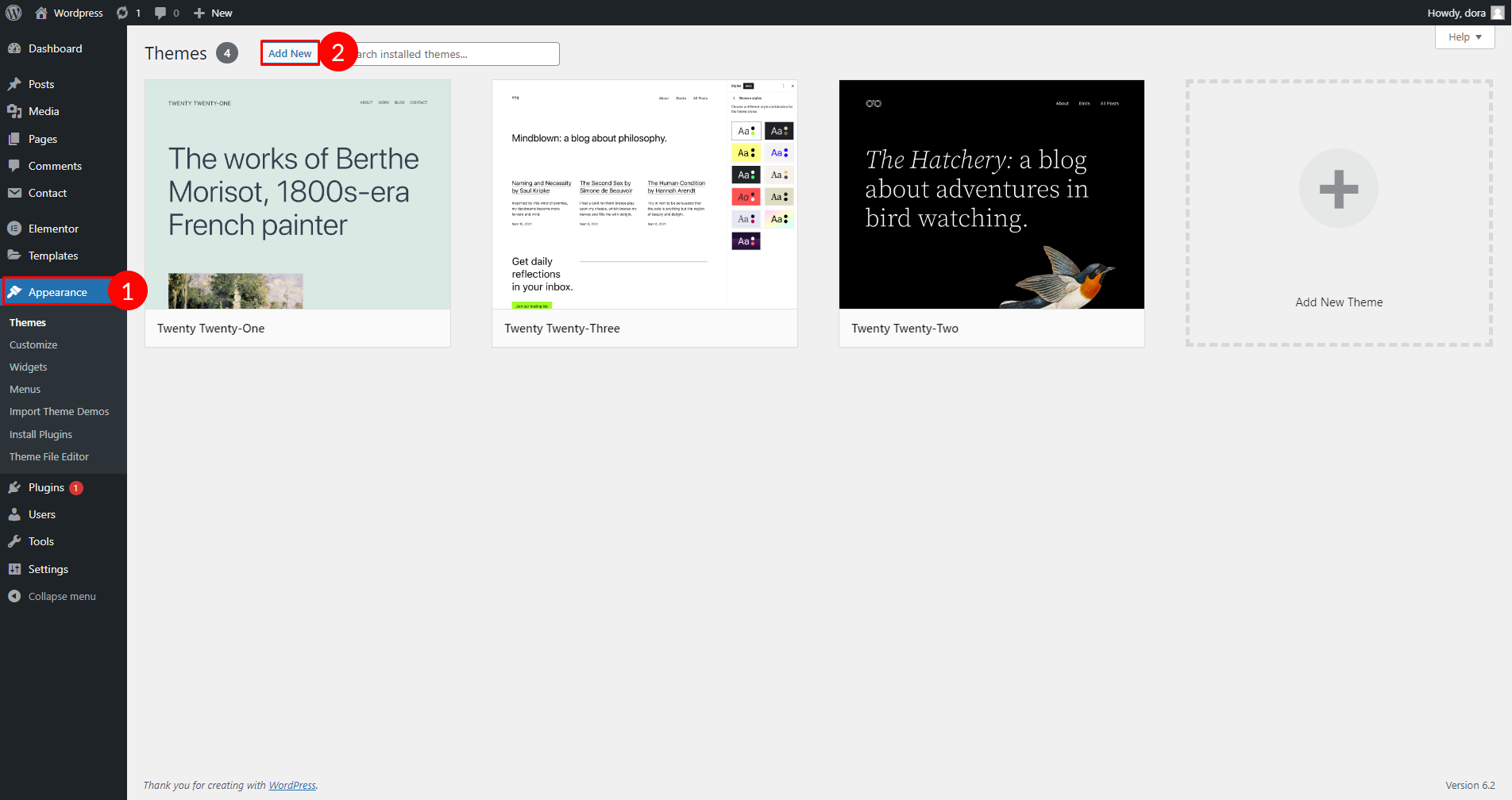
> 1. From the dashboard go to ***Apperance > Themes > Add New > Upload Theme***
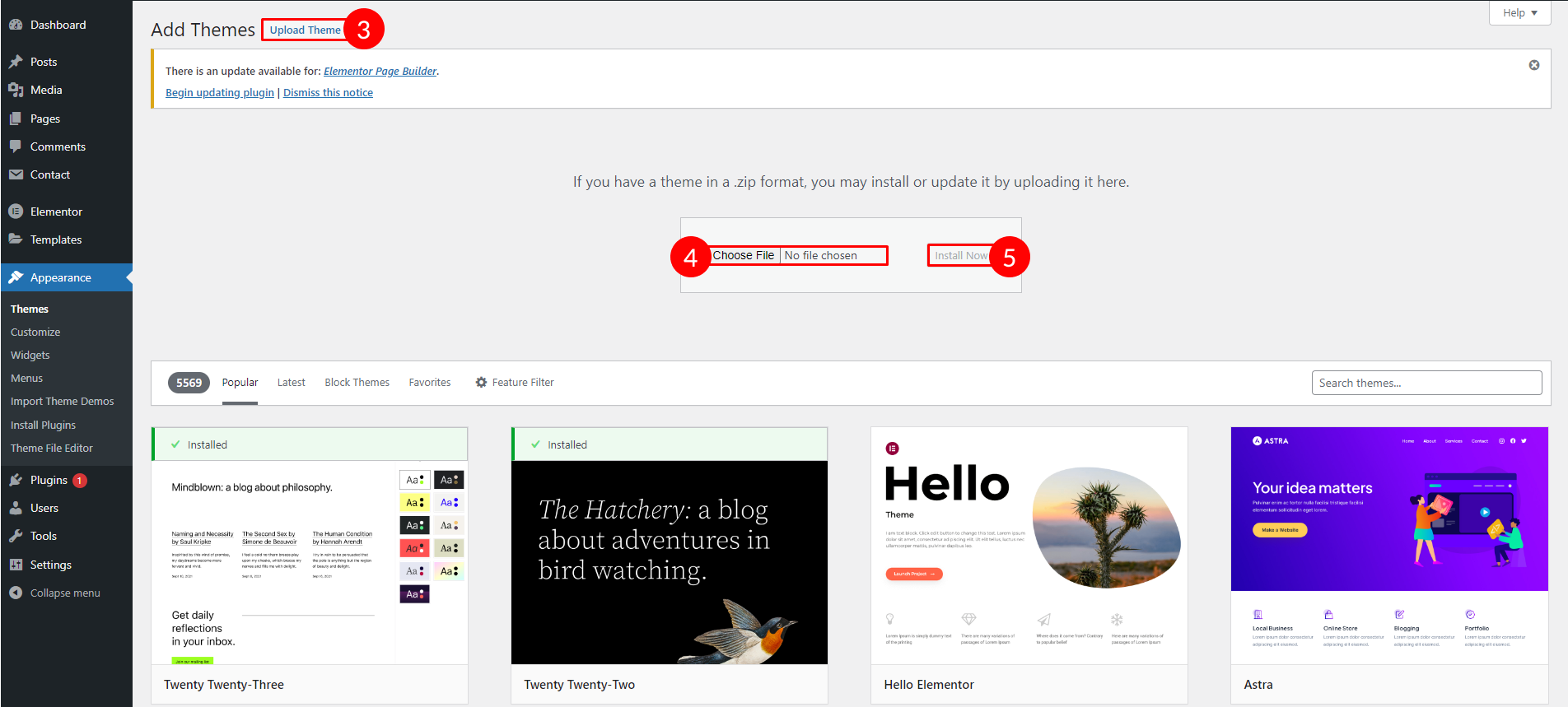
> 2. Click on **“Choose File”** and select **Edrea.zip**
> 3. Click on **“Install Now”**.
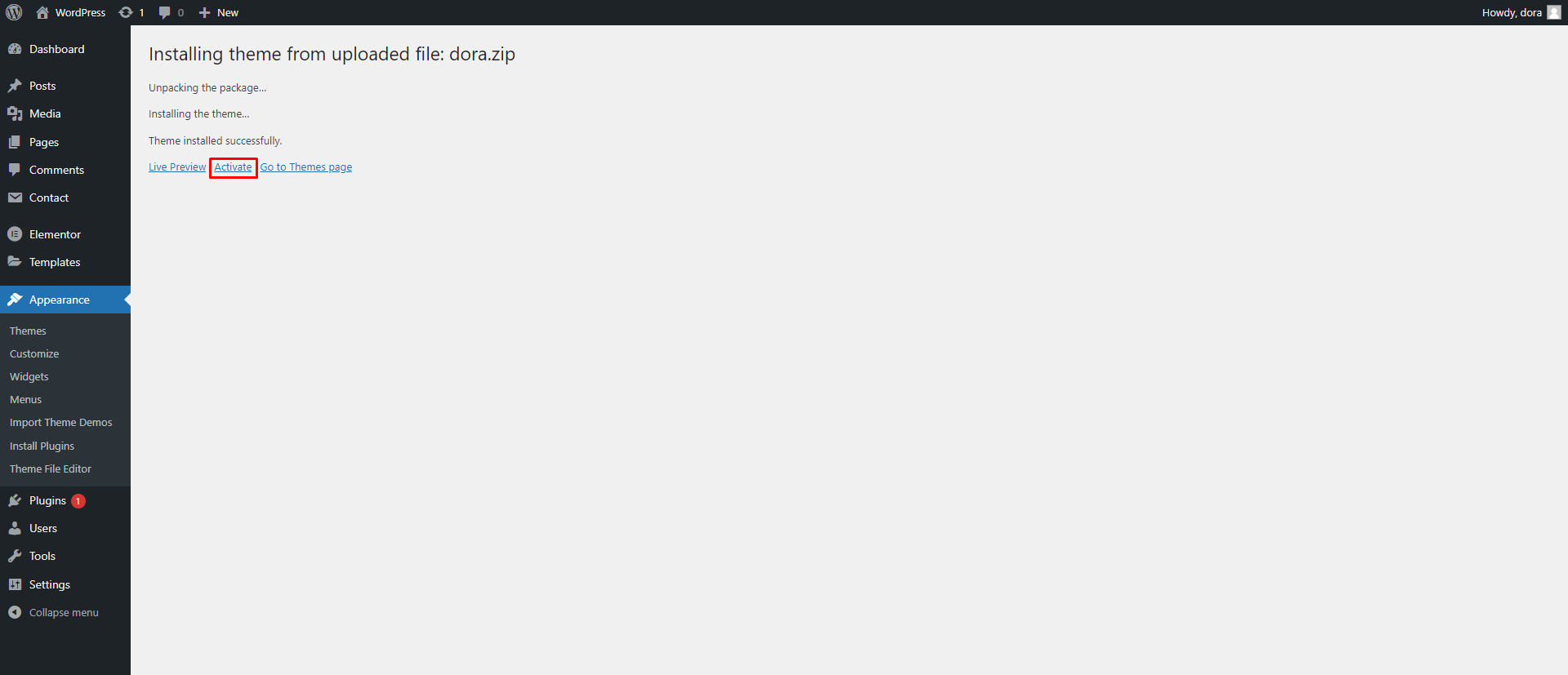
> 4. Active the Theme
Appearance -> Themes -> Add New
Click on “Choose File” and select Edrea.zip and Click on “Install Now”.
Active Edrea Theme
## 2. Using FTP Clients
Follow the following steps to upload your theme using FTP clients:
> 1. Use an FTP such as FileZilla and go to your WordPress installation director
> 2. Navigate to **/wp-content/themes/** folder and upload the theme folder there
> 3. Log in to your WP Admin Dashboard and open the ***Appearance > Themes*** menu
> 4. You will now see **Edrea** Theme listed among the other themes. **Click on Activate** and you’re done!