Basic Site Setting
Customize Menu
To customize the menu and megamenu please login to wp-admin and navigate to Dashboard > Appearance > Menus and follow the following steps:
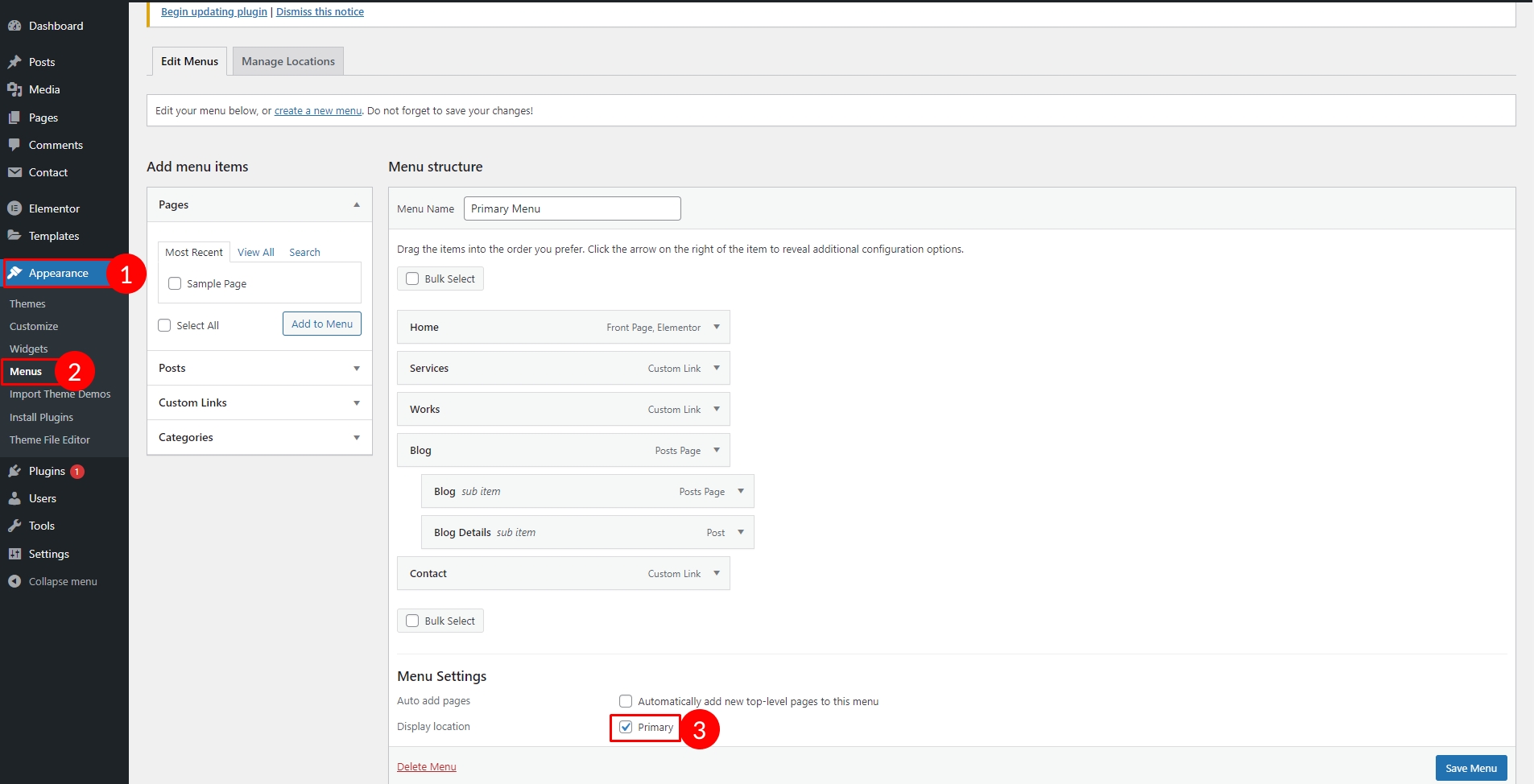
Change Site & Favicon Basic Site Settings
To change your Site title and Favicon login to wp-admin and navigate to Dashboard > Appearance > Customize > Site Identity and follow the following steps:

Change Global Colors
To change all global colors login to wp-admin and navigate to and follow the following steps: Elementor Editor > Site Settings > Global Color


Change Typography
To change all global colors login to wp-admin and navigate to Dashboard > Appearance > Customize > Elementor Editor > Site Settings > Global Fonts and follow the following steps:

Set Home & Blog Page
To change all global colors login to wp-admin and navigate to Dashboard > Settings > Reading and follow the following steps:

Last updated