> For the complete documentation index, see [llms.txt](https://codeefly.gitbook.io/theme-documentation/llms.txt). Markdown versions of documentation pages are available by appending `.md` to page URLs; this page is available as [Markdown](https://codeefly.gitbook.io/theme-documentation/fxotary-theme-documentation/basic-site-setting.md).
# Basic Site Setting
## Customize Menu
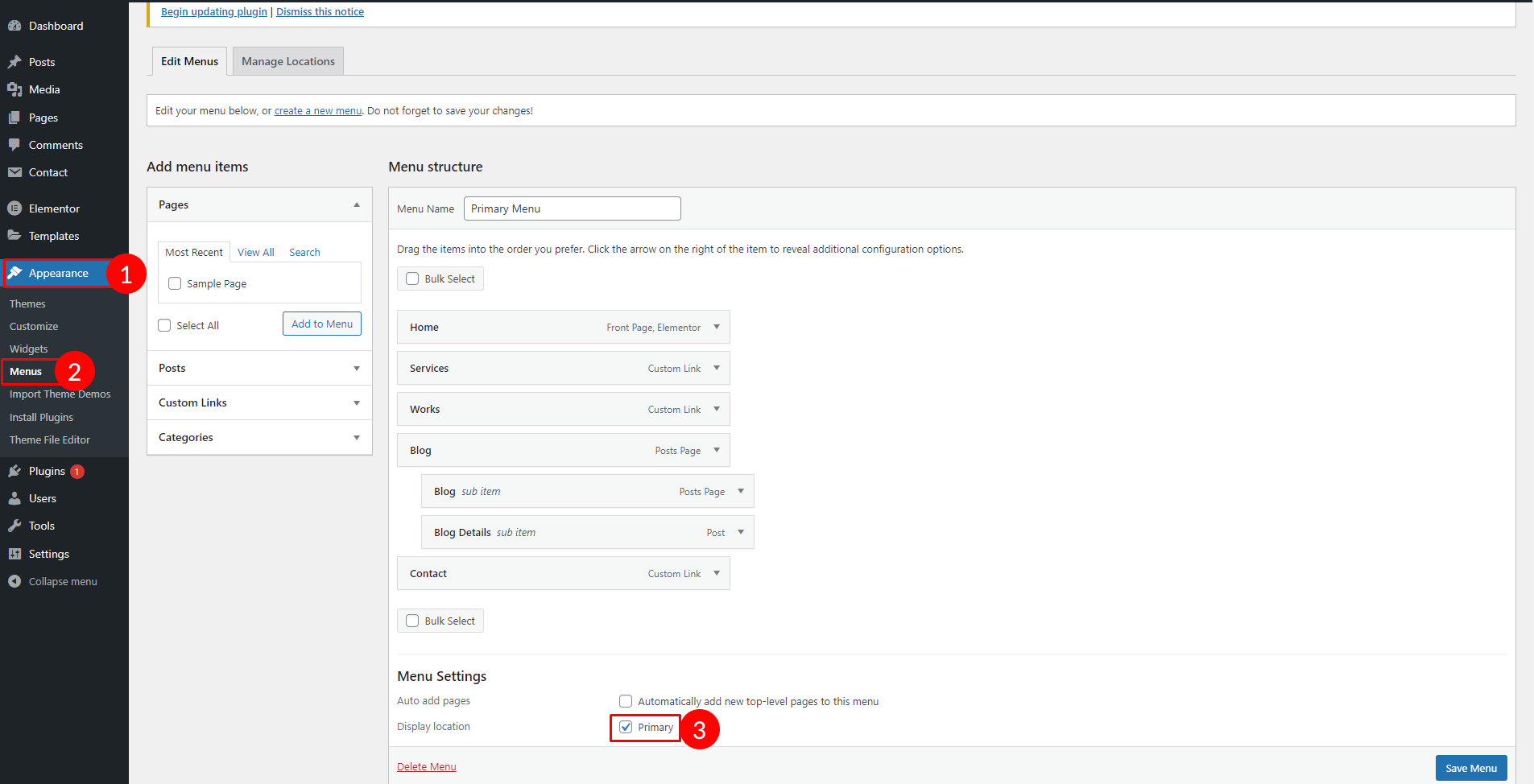
To customize the menu and megamenu please login to wp-admin and navigate to **Dashboard** **>** **Appearance > Menus** and follow the following steps:
Select Menu
## Change Site & Favicon Basic Site Settings
To change your Site title and Favicon login to wp-admin and navigate to ***Dashboard > Appearance > Customize > Site Identity*** and follow the following steps:
Fav Icon
## Change Global Colors
To change all global colors login to wp-admin and navigate to ***Dashboard*** ***>*** ***Appearance > Customize > Fxotrary Customizer > Color Options*** and follow the following steps:
Color Change
## Change Logo
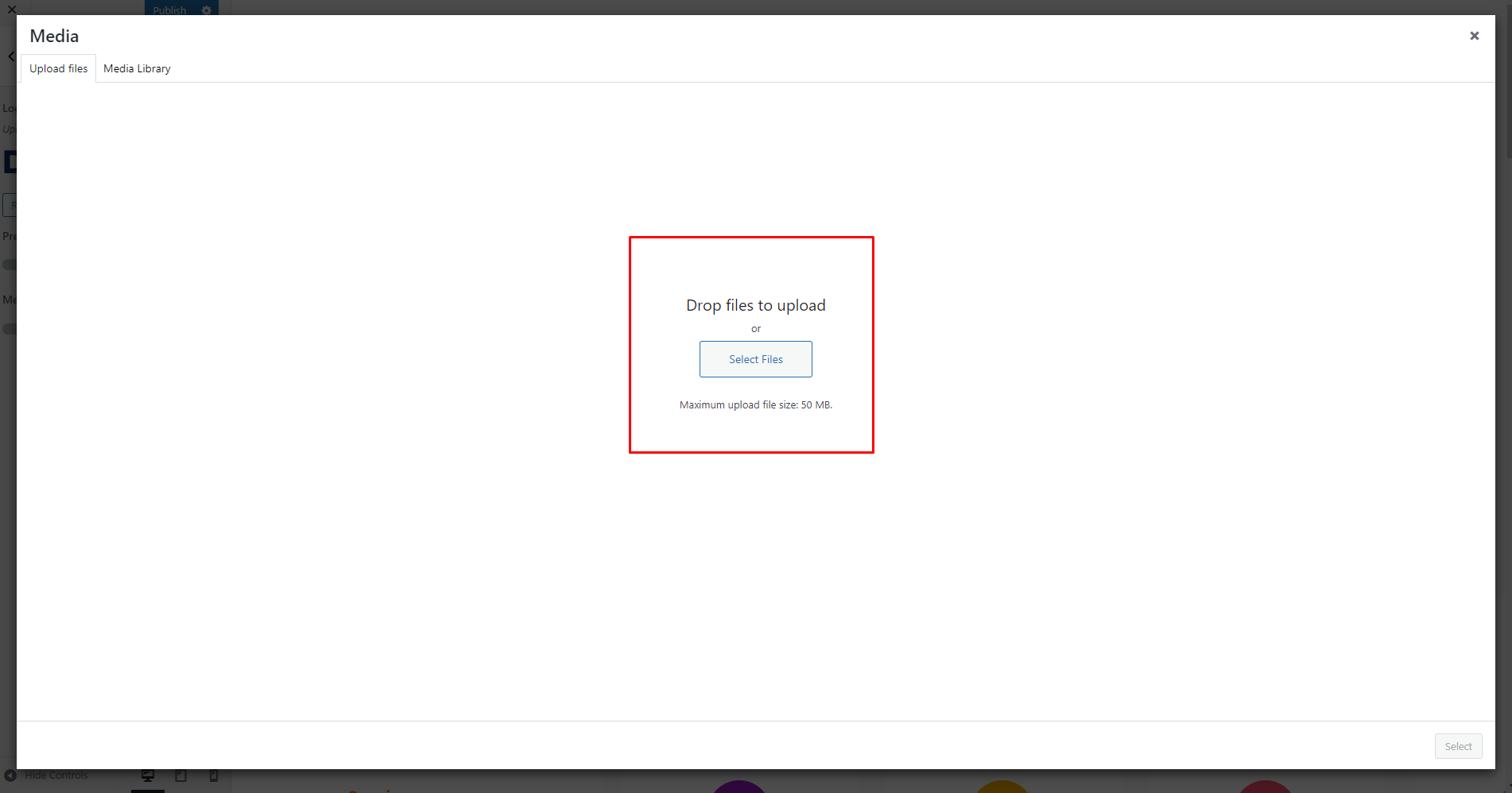
To change all global colors login to wp-admin and navigate to ***Dashboard*** ***>*** ***Appearance > Customize > Fxotary Customize > Side Info*** and follow the following steps:
Media Upload
## Change Typography
To change all global colors login to wp-admin and navigate to ***Dashboard*** ***>*** ***Appearance > Customize > Fxotrary Customize > Typography*** and follow the following steps:
## Set Home & Blog Page
To change all global colors login to wp-admin and navigate to ***Dashboard*** ***> Settings > Reading*** and follow the following steps: